
Most Windows users know Windows Sidebar houses mini-programs, known as gadgets, that offer a number of functions such as a clock, weather report, and more. The Windows Sidebar and the Gadgets are located in this folder/s.
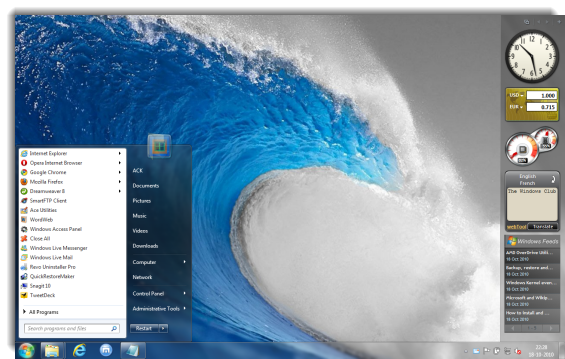
This one is for all users:
C:\Program Files\Windows Sidebar\Gadgets\
This one is for each individual user of the computer:
C:\Users\<username>\AppData\Local\Microsoft\Windows Sidebar\Gadgets\
Here <username> is the name of the individual user account.
Windows Sidebar does not start
If when you start your Windows 7 or Windows Vista, your Sidebar does not start automatically, here are few things you may try these troubleshooting steps.
First type Sidebar in Windows Start Menu Search bar and hit enter. It should start. Open up its Properties dialog box and ensure that Start Sidebar when Windows starts is checked. Click Apply > OK.

But if it doesn’t start, you may have to re-register a related dll file named atl.dll. To do so, click open an elevated command prompt as follows: Type cmd in Search Bar > Rt click on the cmd which is thrown up as a search result > Click on Run as administrator. In the command prompt, copy paste the following and hit Enter!
regsvr32.exe atl.dll
Furthermore, also copy-paste the following commands, one after the other, and hit enter after each one:
cd /d “%programfiles%\Windows Sidebar”
sidebar.exe /regserver
regsvr32.exe sbdrop.dll
regsvr32 wlsrvc.dll
This should resolve the issue, but if your Windows Sidebar is still not starting at startup, then you may have to run System File Checker viz, Run sfc/ scannow.
Although the sidebar looks cool Microsoft’s security team advises disabling it. This is because certain vulnerabilities exist that could allow malicious code to be executed via the Windows Sidebar when running insecure Gadgets. Thus, disabling the Windows Sidebar and Gadgets can help protect customers from vulnerabilities that involve the execution of arbitrary code. Moreover, gadgets installed from untrusted sources can harm your computer and can access your computer’s files, show you objectionable content, or change their behavior at any time.

