
You can add, remove, change Ctrl+Alt+Del secure login screen options like locking or logging off, starting the Task Manager, etc. using Group Policy or Registry Editor in Windows 11/10.
The Ctrl+Alt+Del shortcut was earlier used to open the Windows Task Manager. But now it open sa new Ctrl+Alt+Del screen with consisted of options such as locking or logging off, starting the Task Manager, etc. In Windows 11/10/8/7/Vista, to open Task Manager, you now have to press Ctrl+Shift+Esc.
Customize Ctrl+Alt+Del Screen Options using Group Policy Editor
Using the Group Policy Editor in Professional and above later versions of Windows, you can easily modify or customize the Ctrl+Alt+Del screen to include only the options that you want. Here’s how to do it via Group Policy.
First, open the Start menu and type gpedit.msc. Press Enter. This will open the Group Policy Editor.
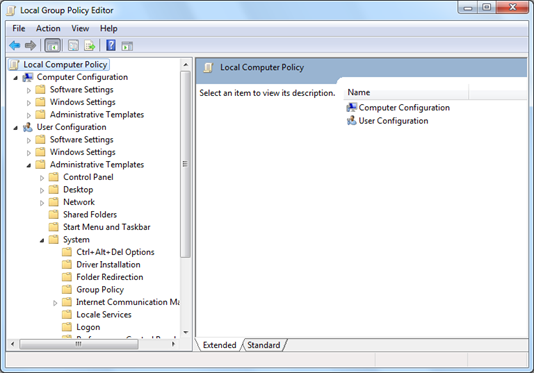
Now navigate to User Configuration > Administrative Templates > System.
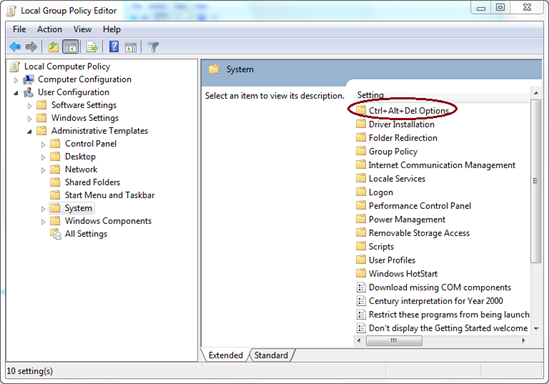
Click on it, and in the right pane, you will be able to see Ctrl+Alt+Del Options as shown below. Double click that.
Now you will see the available options that you can customize in the right pane.
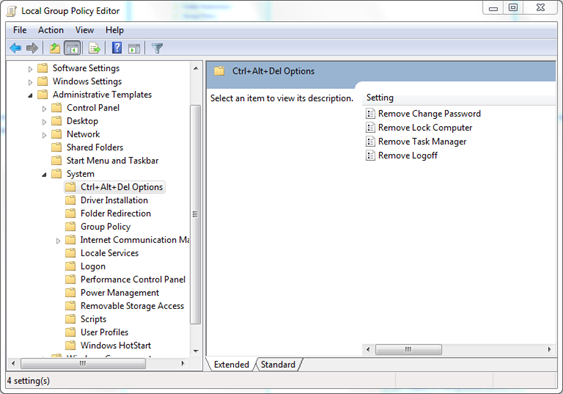
- Remove Change password: If you enable this, the Ctrl+Alt+Del screen will not show the Change Password option.
- Remove Lock Computer: If you enable this, you will not be able to lock the computer from the Ctrl+Alt+Del screen.
- Remove Task Manager: If you enable this, it will remove the Start Task Manager option from the Ctrl+Alt+Del screen.
- Remove Log Off: This option will remove the Log Off option from the Ctrl+Alt+Del screen.
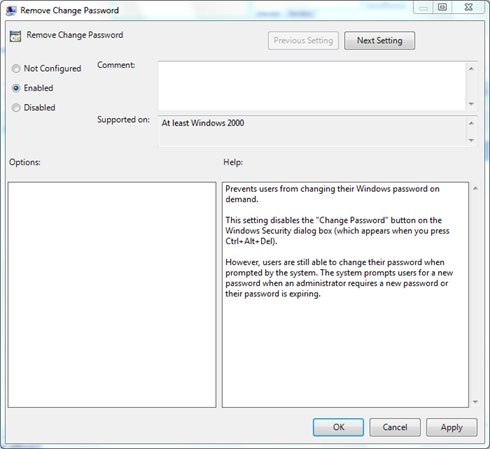
Just double-click the setting that you want to change. Select Enabled or Disabled as you wish and click OK.
You can see the changes immediately by pressing Ctrl+Alt+Del.
If your Windows 10/8/7/Vista edition does not have Group Policy, you can change Ctrl+Alt+Delete options using Registry.
Let us see how to change Ctrl+Alt+Delete Options using the Windows Registry in Windows 10/8/7. Please note that the tweak requires modifying registry settings. It is advisable to backup your settings before proceeding further.
Change Ctrl+Alt+Delete options using Registry
In Windows, when you click Ctrl + Alt + Delete together, you are presented with a screen with following options:
- Lock this computer
- Switch User
- Log Off
- Change a password
- Task Manager
Should you wish to, you can opt to hide one or more of these options, as follows. Open Regedit and navigate to the following key-
HKEY_CURRENT_USER\Software\Microsoft\Windows\CurrentVersion\Policies\System
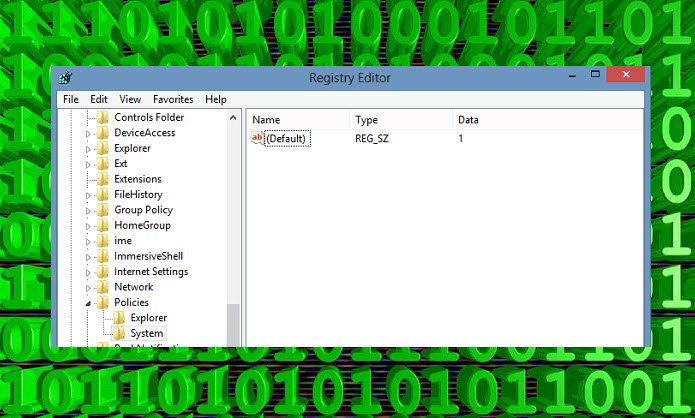
Double click on value/s mentioned below & set its value as 1. This will disable the corresponding option from appearing.
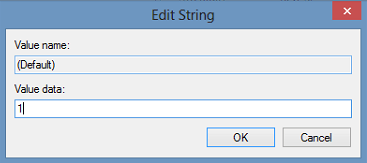
- DisableLockWorkstation
- HideFastUserSwitching
- NoLogoff
- DisableChangePassword
- DisableTaskMgr
If any of them don’t exist, right-click on any blank white space on the right side and create a New DWORD value name, as mentioned above, and set its value to 1.
This will disable the corresponding option. To revert to default, you may switch the value, back to 0.
Do always create a system restore point first, before touching the Registry!
Random read: How to disable the option to change Start Menu Background in Windows.

