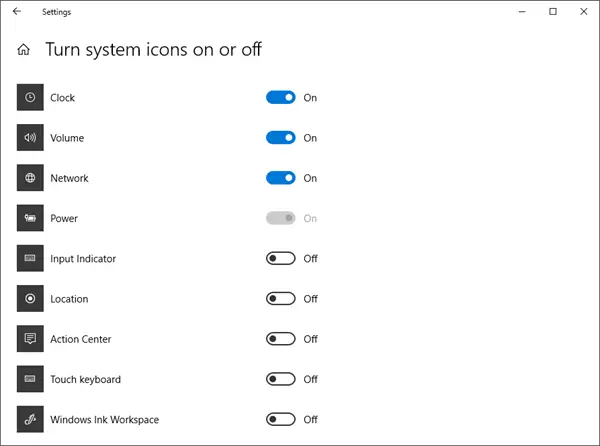
Sometimes you may find that your System Tray Notification Area Icons, like Clock, Volume, Network, or Power missing or momentarily disappeared in Windows 11/10/8/7. If you face this issue, here is how you can resolve the issue.
System icons not showing in Taskbar
Right-lick Taskbar and choose ‘Properties.’ Then from the ‘Taskbar Properties’ window select ‘Customize’.
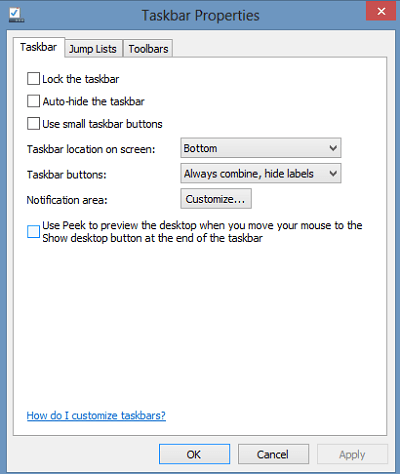
Next, select which Icons and notifications should appear on your taskbar and hit the ‘OK’ button.
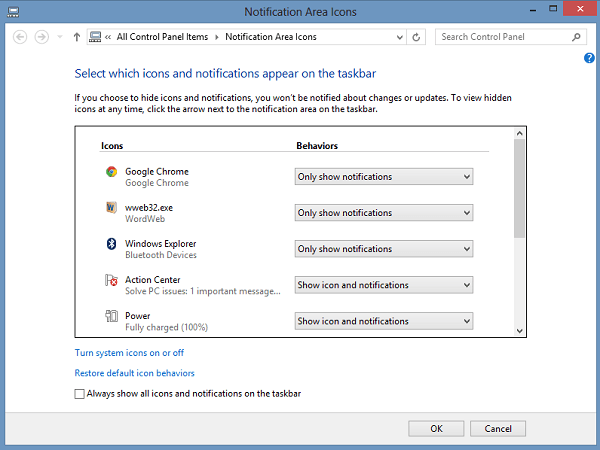
If this does not solve your problem, or if you find that the areas are grayed out, try this registry tweak.
Turn system icons on or off grayed out
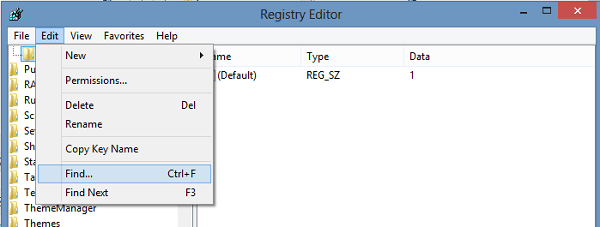
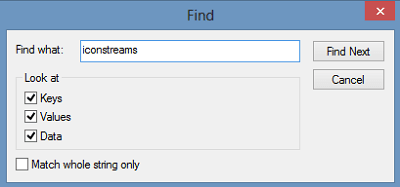
On my Windows I found their first instance in Key:
HKEY_USERS\S-1-5-21-2193082411-1103859620-1337499753-1000\Software\Classes\Local Settings\Software\Microsoft\Windows\CurrentVersion\TrayNotify
You will also normally find IconStreams & PastIconsStream in the right side pane of
HKEY_CURRENT_USER\Software\Classes\Local Settings\Software\Microsoft\Windows\CurrentVersion\TrayNotify
Reboot.
Now enable the system icons using the above regular method. Do note that in case your computer has multiple user accounts you may have to enable icons for each account.
Read: System Tray icons do not work.
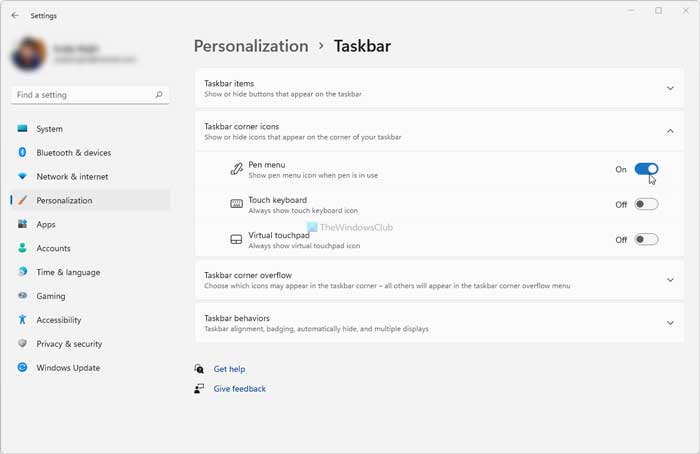
Windows 10 users may open Settings > Personalization > Taskbar and then click Turn system icons on or off, link. However, if you are using Windows 11, you need to open Windows Settings, go to Personalization > Taskbar, and click on the category of the option you want to change.
In Windows 10, you can set Volume, Network, Clock, and Power System to On. Click OK.
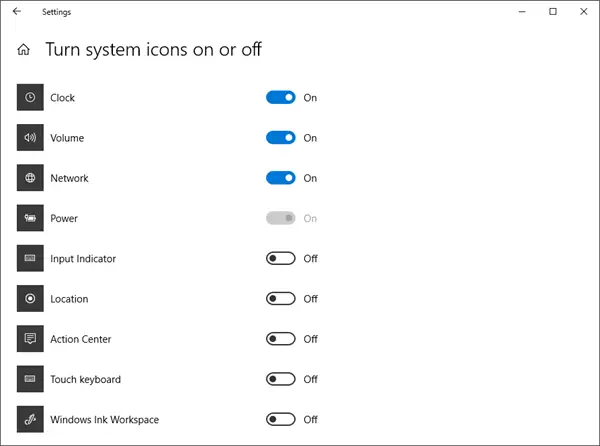
Make sure that the behavior for Power, Network, and Volume are set correctly, and then click OK.
Why did my icons disappear from my Taskbar?
If all the icons disappeared from your Taskbar, there could be some internal conflicts going on. However, if a single icon is missing, you can open the Windows Settings and go to Personalization > Taskbar. Here you can find four options – Taskbar items, Taskbar corner cons, Taskbar corner overflow, and Taskbar behaviros. You need to open each setting and find the missing option. Then, you can toggle the corresponding button to enable it.
Read: Icons missing from Start Menu on Windows 11
How do you fix Taskbar icons not loading?
If the Taskbar icons are not loading on your computer, you need to check if it is a bug or not. However, if you are using a stable version, the chances of this problem get reduced. In that case, you need to open Windows Settings, go to Personalization > Taskbar, and check all the included settings one after one. The Taskbar corner overflow panel helps you find all the system tray options. On the other hand, the Taskbar corner icons panel lets you enable or disable the Pen menu, Touch keyboard, etc., icons.
Hope this helps.
Related read: Taskbar icons are invisible, blank or missing in Windows 11/10.