
What can you do if Windows Update or Microsoft Update does not work is stuck checking, or the Windows Update page in Control Panel or Settings that you open comes out blank. If you do face this problem, you may try these troubleshooting steps, in no particular order. Do remember to create a system restore point first.

Windows Update stuck on Checking for Updates or not working
Please go through the entire post first and then see which of the suggestions apply to your version of Windows OS. If Windows Update is not working do the following:
1. Run System Restore
The first thing to do is to see if you installed any new software, and if so, try to restore your computer to a prior good time.
2. Clear up PC cache
Clear up your Temporary Files folder, Cookies folder & Temporary Internet File folder, reboot and try again. Best and easy to use the built-in Disk Cleanup utility.
3. Flush the Software Distribution Folder
Run Command Prompt as administrator. In the CMD box that appears on the computer screen, enter the following strings of text, one at a time, and hit Enter.
net stop wuauserv

net stop bits
Now browse to the C:\Windows\SoftwareDistribution folder and delete all the files and folders inside.
If the files are in use, restart your device. After rebooting, run the commands above again. Your Windows Store App needs to be closed, by the way, so do not start it.
Now you will be able to delete the files from the mentioned Software Distribution folder. Now in the Command Prompt windows, type the following commands one at a time, and hit Enter:
net start wuauserv

net start bits
Reboot. If you are using Windows Update, try using Microsoft Updates or vice versa.
4. Run SFC
Run system file checker. If any corrupt system files are found, they will be replaced on reboot.
5. Add to Trusted Sites
If Windows Update is not working, try this :
Open Internet Options > Security > Click ‘trusted sites’ icon >Click Sites > uncheck ‘Require server verification’.
Then add the following sites :
-
http://*.windowsupdate.microsoft.com
-
http://*.windowsupdate.com
-
http://update.microsoft.com
-
http://update.microsoft.com/microsoftupdate/v6/default.aspx
Click Close > Apply > OK. This is known to help the Genuine Validated Windows, in some cases, but not always.
6. Check if Windows Update Agent is installed
Do also ensure that you have the latest Windows Update Agent installed.
7. Re-register the following dlls
Try to re-register the following dlls individually. See how to register & unregister dll‘s if you are not sure how to do it.
-
wuapi.dll
-
wuaueng.dll
-
wups.dll
-
wups2.dll
-
wuwebv.dll
-
wucltux.dll
-
wudriver.dll
Alternatively, open Notepad. Copy-Paste the following command lines into it and save the file using a .bat or .cmd extension.
regsvr32 /s wuapi.dll
regsvr32 /s wuaueng.dll
regsvr32 /s wups.dll
regsvr32 /s wups2.dll
regsvr32 /s wuwebv.dll
regsvr32 /s wucltux.dll
regsvr32 /s wudriver.dll
Double-click the icon of the .bat or .cmd file; a command window will open. Run the commands, and then close. Reboot, and see if Windows Update is working OK.
8. Check Internet Options
Open Internet Options > Advanced > Security Settings > Ensure that the two boxes “Enable SSL 2” or “Enable SSL 3” are checked.
9. Refer Microsoft for error code references
Go here to see the Complete Master List of Windows Update Error Codes. If you receive Windows Update error 80246008 while downloading updates, you might need to change the Background Intelligent Transfer Service (BITS) or Windows Event Log service settings, and then restart each service.
10. Check Hosts file
If you are recovering from a malware attack, you may also want to have a look at your Hosts file. Some malware programs may modify the host’s file to control DNS name resolution. Remove ALL entries for Windows Update and Microsoft Update from your Hosts file situated at C\Windows\system32\drivers\etc\hosts.
11. Run Fix WU
Use our Fix WU tool and see if it helps. It re-registers all the dll, ocx and ax files required for the proper functioning of Windows Update.
12. Run Windows Update Troubleshooter
Use the Windows Update Troubleshooter from Microsoft. It resets Windows Updates settings to defaults.
You can either remove any lines that contain entries for Windows Update or for Microsoft Update OR you can just place the number sign # before or in front of any line that contains “microsoft” and “update”. HostsMan is a good freeware utility to help you manage your Hosts file.
Related posts:
Windows Update page blank
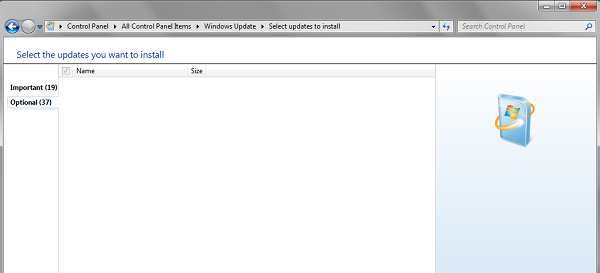
If when you open Windows Update from the Control Panel, you get to see a blank white page, you might want to re-register the following DLL files. It has been known to work. Open Run as an administrator, type the following, one after the other and hit Enter.
regsvr32 jscript

regsvr32 vbscript

regsvr32 /i mshtml
Windows Update Settings page is blank
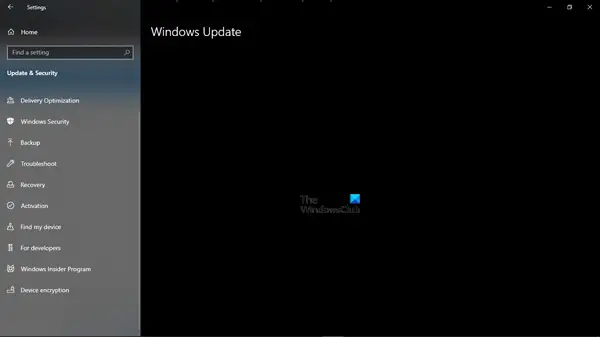
If the Windows Update page in Windows Settings panel is blank, then you could try one of these suggestions:
- Reset Settings
- Run Windows Update Troubleshooter
- Run System File Checker
- Uninstall recent Windows Update if the problem occurred after a recent update
- Reset Windows 11/10.
Hopefully, this helps!
What are the Windows Update URL List for whitelisting?
Make sure that the following URLs related to Microsoft Update are not blocked:
- http://windowsupdate.microsoft.com
- http://*.windowsupdate.microsoft.com
- https://*.windowsupdate.microsoft.com
- http://*.update.microsoft.com
- https://*.update.microsoft.com
- http://*.windowsupdate.com
- http://download.windowsupdate.com
- https://download.microsoft.com
- http://*.download.windowsupdate.com
- http://wustat.windows.com
- http://ntservicepack.microsoft.com
- http://go.microsoft.com
- http://dl.delivery.mp.microsoft.com
- https://dl.delivery.mp.microsoft.com
- https://stats.microsoft.com
How to fix Computer freezes while scanning for Windows Updates?
If your Windows device freezes while at scanning for updates, then try the following two suggestions:
- Close the Settings app and reopen it.
- Open Services.msc and check if the following services are running:
- Update State Orchestrator
- Windows Update
How to fix Windows Update fails to install or will not download?
If Windows Update fails to install, is not working, updates will not download or keep failing, on your Windows 11/10/8/7 then these suggestions will help you troubleshoot & fix Windows Updates.
- Run Windows Update Troubleshooter
- Manually Reset Windows Update Components to default
- Use FixWU
- Check Windows Update Services status
- Check Windows Update log file
- Clear pending.xml file
- Clear the BITS queue
- Delete incorrect Registry values
- Run Windows Module Installer
- Run Background Intelligent Transfer Service Troubleshooter
- Download its stand-alone installer
- Use authenticated Proxy Servers.
This post on what to do if Turn Windows Features on or off blank may also interest some of you.

