
Users may on rare occasions receive Missing Operating System, Operating System Not Found or No operating system found error screen while booting their Windows computer. If you frequently get these messages while booting Windows 11/10, then this post will guide you in the proper direction.
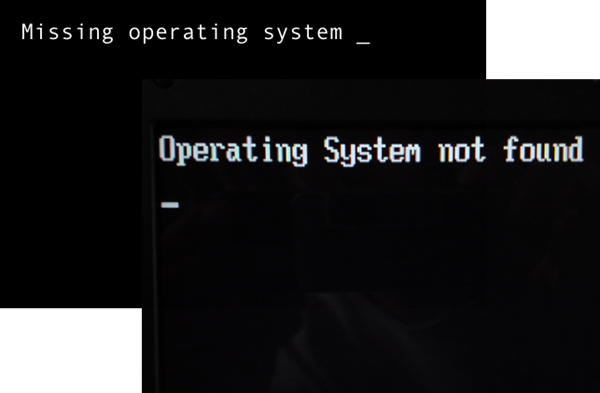
Missing Operating System Not Found
In most cases, this happens when you install Windows Vista or later operating systems in conjunction with older operating systems. For example, Windows XP used Boot.ini and Vista onwards it was BCD Edit.exe located in the Windows\System32 folder. There can be two scenarios here.
- First, you install Windows XP or prior operating systems and then install Windows 10. In this case, the BCD Editor may take over and remove boot.ini. This makes the computer believe that there is only one operating system installed and that is Windows 10. Such issues can be fixed by running BCD Editor (Boot Configuration Data Editor).
- Maybe you installed Windows 10 first, and then you went on to install Windows XP. The boot loader of Windows XP is made default, and you won’t find Windows 10 in the list of operating systems. In worst case scenario, you won’t find any operating system as the boot loader is corrupt due to conflict of both boot.ini and BCD.exe. This situation too can be fixed using BCD Editor. You just need to know how to add the operating systems to the boot loader and most importantly, assign them each, a different drive letter.
You will need to boot with the disk, and repair Windows.
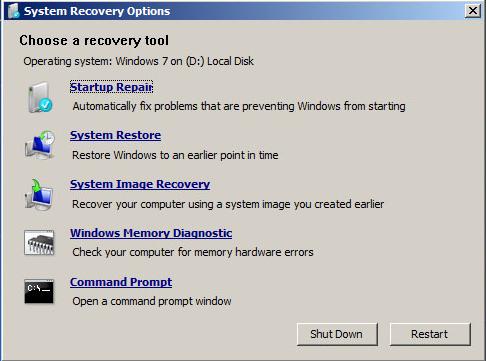
Here is what you can try. Boot the Windows Installation Media, choose Repair and then Open a Command Prompt window. In Windows 11/10 you can also access the Command Prompt via Advanced Startup Options.
Now enter the following commands one after the other and hit Enter after each:
bootrec.exe /fixmbr

bootrec.exe /fixboot

bootrec.exe /rebuildbcd
Reboot your Windows system. This should hopefully and have made your problem go away!
For more details see KB927392 and read this post on Bootmgr is Missing in Windows.
If you receive Error 1962 No operating system found message, you may have to replace a possibly faulty HDD or your SATA cable.
This post will help you if you receive an Application not found message. See this post if you see Invalid System Disk, Replace the disk and then press any key message.
Related reads:

