
Over a period of time, you install several programs on your Windows computer. Many of these programs add entries to the startup items and add Services to Windows, which need to start when Windows starts. This results in the slowing down of your Windows PC, in terms of boot times as well as performance, because too many programs want to run.
You can use the built-in MSConfig Utility, or some nice freeware like WinPatrol or CCleaner, to remove, disable, or manage your startup programs. But if you need to measure the boot time or the time your Windows 11/10/8/7 takes to start up, you will need to use Windows Assessment and Deployment Toolkit, or you can check out some of these free software that let you do so easily.
Measure Startup or Boot Time in Windows 11/10
We will take a look at the following free software that will help you measure the boot or start-up time in Windows 11/10:
- BootRacer
- AppTimer
- Startup Timer
- Windows Boot Timer
- Soluto
- MaaS360 Boot Analyze.
1] BootRacer
BootRacer will let you measure the time required for your Windows computer to boot. The main function of BootRacer is total control over Windows boot time.
2] AppTimer
AppTimer is a freeware that will run an executable, a pre-set number of times and then measure the time it takes to start-up each time. It measures the time up to the state where user input is being accepted before exiting the application. After each run AppTimer will close the application in an automated fashion, before restarting it again.
3] Startup Timer
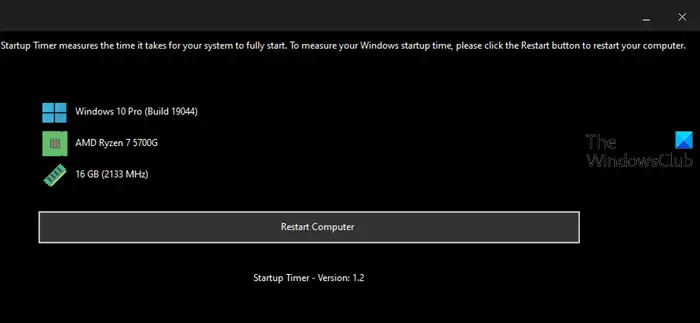
Startup Timer is a freeware app that measures exactly how long it takes for Windows to boot fully and which apps make your Windows startup slower.
This tool can benchmark Windows startup time and measure which system processes and installed third-party apps make your Windows startup slower.
4] Windows Boot Timer
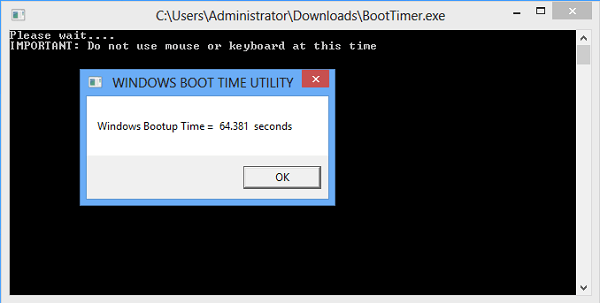
Windows Boot Timer loads itself into memory when you start your computer and measures total system boot time. After all system processes have loaded, the utility removes itself from the system memory and displays the total boot time. No installation is required. All you need to do is double-click on the executable & upon restart; it will display the time taken by your computer to load windows. It does not count the time taken to go through BIOS or BIOS boot up a password.
Here is my regular startup time.
And here are the readings after I removed the start-up entry.
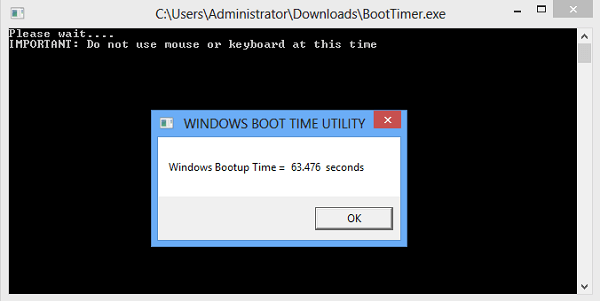
My computer was able to shave off a little time.
5] Soluto
Soluto will not only measure your boot time but also help you optimize boot time further. It employs innovative low-level Windows kernel technologies to identify what users are asking their PC to do, and what their PC does in return. It can delay the loading of programs or services that aren’t necessary when the computer is booting and readying itself for use. This way, such programs and services are launched a little later, thus making your computer that much earlier and ready to use. This tool is no longer being updated or offered.
6] Boot Analyzer
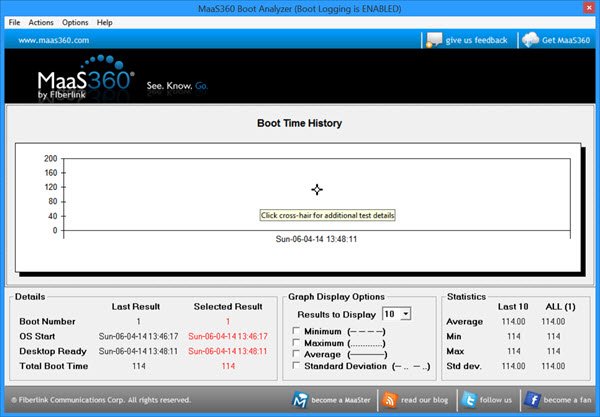
MaaS360 Boot Analyzer will give you detailed information s about the boot activity of your computer. It has a clean and easy-to-understand interface. The main window displays a graph with details about the date and time when the boot mode was enabled. While measuring boot times, it lets you mention the number of boots. It also maintains a history of your previous boot times.
TIP: Go here if you want to make Windows Startup, Run, Shutdown Faster.
What is a good Windows boot time?
It is difficult to answer this question as it depends on your hardware configuration and the startup programs. But very generally speaking, anything less than 60 seconds should be good enough.
What is Windows boot timeout?
Windows boot menu time-out is the time in seconds for which the boot menu is displayed before the default boot entry or OS is loaded.
TIP: TurnedOnTimesView is an event log monitor for your Windows which keeps a record of every shutdown or startup of your computer, and the reasons for the same.

