
Microsoft has integrated Microsoft Defender Anitvirus in Windows 11 or Windows 10, and while it is easy to turn off or disable Windows Defender or Microsoft Defender as it is now called, it is not possible to uninstall it.
If you install any other 3rd-party antivirus software, Microsoft Defender will automatically take a back seat and disable itself. If the 3rd-party antivirus stops functioning for some reason, it will automatically activate itself. This is good. Nevertheless, if you feel the need to disable it completely, you may do so via its Settings, Registry, GPEDIT as well as disable its Services.
How to disable Microsoft Defender in Windows 11/10
You can disable or turn off Microsoft Defender via:
- Windows Security UI
- Windows Services Manager
- Group Policy
- Registry Editor
- PowerShell
- Command line
- Using free tool
- Windows Defender UI.
Let us see how to do it.
1] Using Windows Security
Windows 11/10 users have to do this. Open Windows Security.
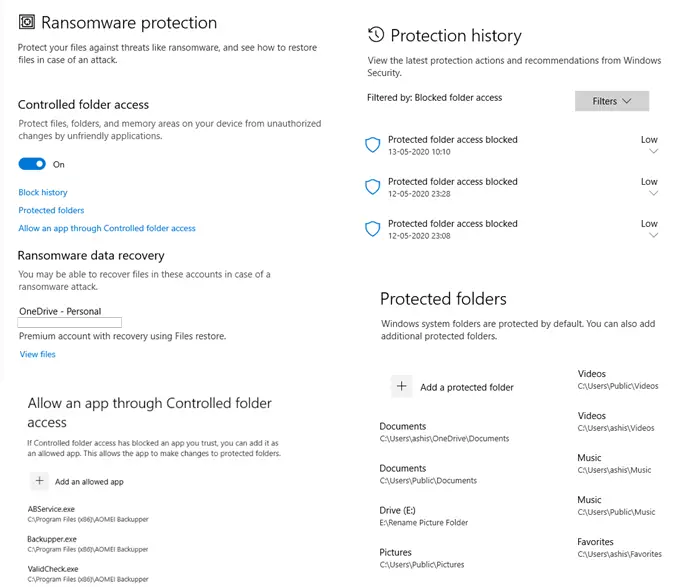
Navigate to Virus & Threat Protection > Virus & Threat Protection settings and toggle the switch against Real-time protection.
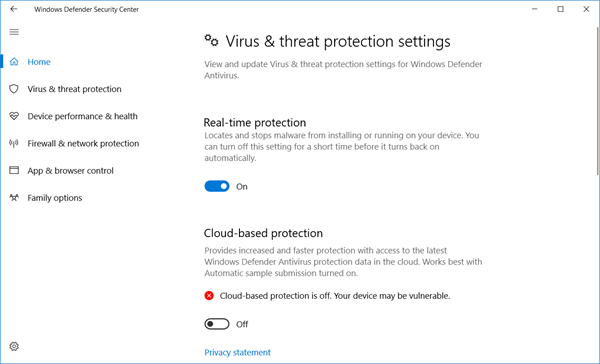
Make sure Real-time protection and Cloud-based Protection is turned off.
Also, toggle Tamper Protection and any other settings you see there to Off.
2] Disable Windows Defender Service using Service Manager
Type services.msc in taskbar search bar and hit Enter to open Services Manager.
Change the startup type of the Windows Defender Service from Automatic to Disabled.
Also, disable the WdNisSvc or Windows Defender Network Inspection Service.
3] Using Group Policy Editor
If your Windows has Group Policy Editor, Run gpedit.msc and navigate to and Enable the following setting:
Local Computer Policy > Computer Configuration > Administrative Templates > Windows Components > Microsoft Defender Antivirus > Turn off Windows Defender.
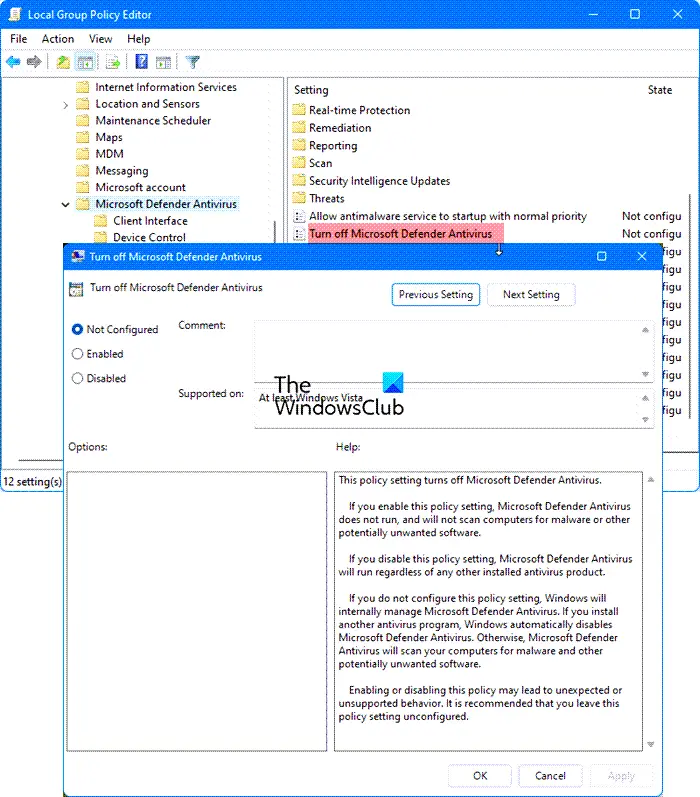
This policy setting turns off Microsoft Defender Antivirus.
If you enable this policy setting, Microsoft Defender Antivirus does not run, and will not scan computers for malware or other potentially unwanted software.
If you disable this policy setting, Microsoft Defender Antivirus will run regardless of any other installed antivirus product.
If you do not configure this policy setting, Windows will internally manage Microsoft Defender Antivirus. If you install another antivirus program, Windows automatically disables Microsoft Defender Antivirus. Otherwise, Microsoft Defender Antivirus will scan your computers for malware and other potentially unwanted software.
Enabling or disabling this policy may lead to unexpected or unsupported behavior. It is recommended that you leave this policy setting unconfigured.
Reboot your computer.
4] Using Registry Editor
UPDATE: It appears that Microsoft has disabled this DisableAntiSpyware Registry key and so this may not work now.
Run regedit and navigate to the following key:
HKEY_LOCAL_MACHINE\SOFTWARE\Policies\Microsoft\Windows Defender
Set the value of DWORD called DisableAntiSpyware to 1 to disable Windows Defender.
5] Using PowerShell command
Use the following Powershell command to disable Windows Defender:
Set-MpPreference -DisableRealtimeMonitoring $true
To re-enable it:
Set-MpPreference -DisableRealtimeMonitoring $false
6] Using Command line
To disable it in an elevated CMD use:
sc config WinDefend start= disabled
sc stop WinDefend
To re-enable it use:
sc config WinDefend start= auto
sc start WinDefend
7] Using a free tool
Defender Control and Confifyre Defender are two free tools that let you disable Microsoft Defender permanently on Windows 11/10.
8] Using Windows Defender Settings UI
To disable Windows Defender in Windows 8, Windows 7 and Windows Vista, open Windows Defender > Tools > Options.
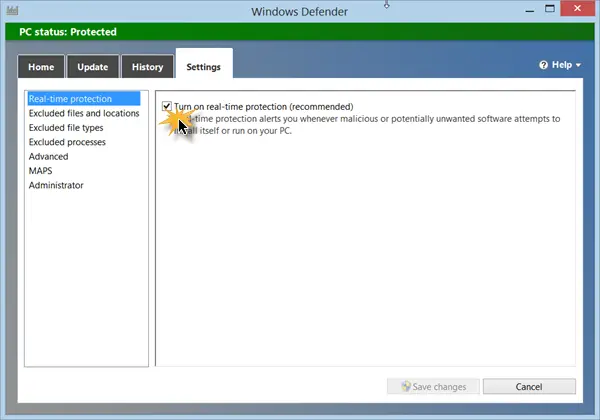
Now uncheck Use Real Time Protection checkbox and also Use Windows Defender under Administrative Options check box. Click on Save.
Uninstall Windows Defender
Though I have not tried this personally, there is one way being recommended on the internet. It is said to have worked, for some. This was known to work in Windows XP – but not in Windows 7 and later. Create a system restore point and the Run the following from an elevated command prompt:
msiexec /uninstall windowsdefender.msi /quiet /log uninstall.log
I must add that I do not advise trying to uninstall Windows Defender, as uninstalling/deleting Windows Defender in Windows is known to cause other irritants later on since it is well-integrated with the OS.
In Windows 11/10, Microsoft Defender is far improved and now includes complete anti-malware protection.
See this post if you want to know how to start Windows Defender manually and this one if Windows Defender will not turn off even when 3rd party AntiVirus is installed.
Ported from WVC.

