
With Windows, you can always customize the look and feel of your system. For instance, you can display the name of your choice in the Windows Taskbar just adjacent to the digital time clock – just for the heck of it! Let us see how to go about it.
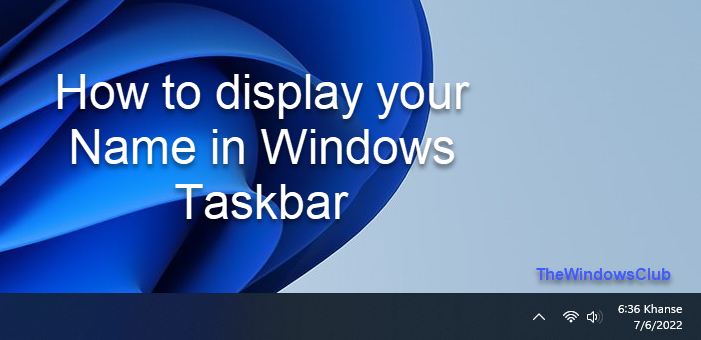
Display Name in Taskbar in Windows 11/10
The tip may especially interest the younger set. This fun-tip will let you customize the alphabets appearing after the time numerals in the taskbar. Put your name if you wish!
In Windows 11/10, press Win+X in combination to bring up the Power Task Menu. From it, choose ‘Control Panel’. Then, select Region.
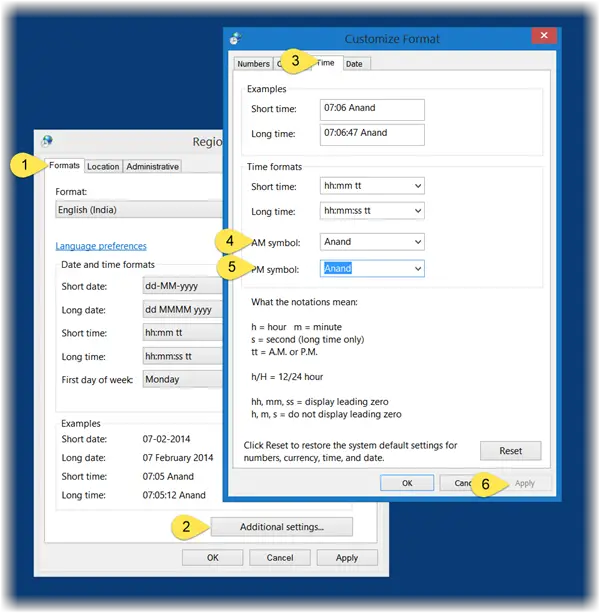
Now, from the ‘Region’ window that appears on your computer screen, select ‘Additional Settings’ button.
Later, from the ‘Customize Format’ window, choose the ‘Time’ tab.
Here, change both the AM and PM letters to any name you wish.
Make sure that the format you are using has “tt” in it.
That is: Time Format = hh:mm:ss tt
Then, simply click on Apply > OK.
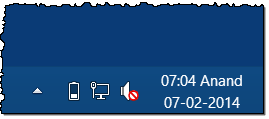
If you do not like the changes made, reverse them and restore it to default settings by simply clicking on the reset button or by changing it back manually to AM and PM.
There is another way to do this.
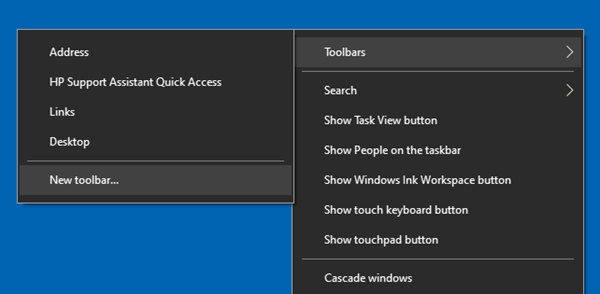
Right-click on the Taskbar > Toolbars > New toolbar.
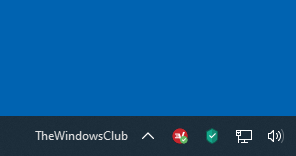
Create a new one with the name you want and select it.
In Windows 7, open Control Panel, select Region and Language > Formats tab > Additional settings button and then in the Customize Format window which opens, select Time tab and follow the above procedure.
Check this post to learn how you can add the day of the week to the taskbar clock and this post to find out how to add Address Bar to Taskbar.
hackerman1 adds in the comments:
You can also switch the order if you enter “tt hh:mm:ss” in Long time you get your name to the left of the time, with a space between them. If you enter: “HH” instead of “hh” you get the time in 24-hour format.
Matthew Badhan Roy suggests another way:
Create a folder on the desktop with your ur name. Next right-click on the Taskbar and select Toolbar > New toolbar. Browse to this folder and select it. Now you may delete the folder. Your name will appear in the Taskbar.
Another fun tip: Create blank folder names in Windows.

