
It may happen that, for some reason, you may find that you cannot open Windows File Explorer or any other software on your Windows 11/10/8/7 system, and you receive the Class Not Registered Explorer.exe error message. If you face this problem and are unable to open File Explorer or Start Menu, then this post will help you resolve the issue.
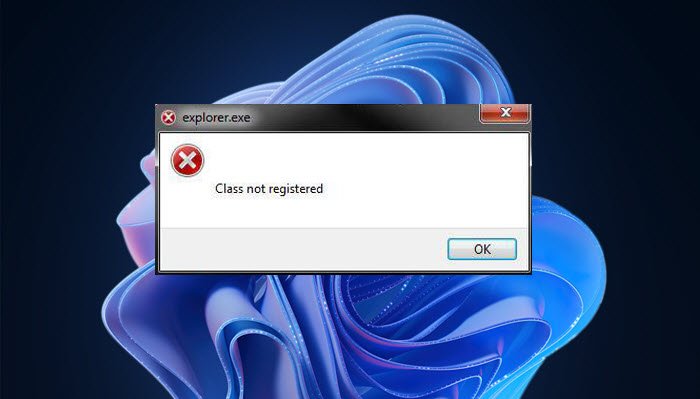
Fix Explorer.exe Class Not Registered error
This error usually occurs if the file has become damaged or corrupted, or a concerned DLL file has been un-registered. If you face Class Not Registered in Windows 11/0, depending on the application, you may have to:
- Re-register ExplorerFrame.dll file
- Run System File Checker to replace corrupted ExplorerFrame.dll file
- Register DCOM components
- Start ETW Collector Service
- Re-register Windows Store apps
- Run System Restore.
Let us see how to fix this error.
1] Re-register ExplorerFrame.dll file
In this case, you may need to re-register ExplorerFrame.dll file.
To re-register the DLL file, you have to first open Command Prompt as an Administrator, and then type the following and hit Enter:
regsvr32 ExplorerFrame.dll
Once the process is completed, restart your computer. It will search for and replace corrupted operating system files if any are found.
2] Run System File Checker
If it doesn’t help, it’s quite possible that your ExplorerFrame.dll may have been corrupted and that you may have to replace it with a ‘good’ one.
Open an elevated command prompt, type the following, and hit Enter to run the System File Checker:
sfc /scannow
3] Register DCOM components
Open Run box, type dcomcnfg and hit Enter to open Component Services. Navigate to the following path:
Component Services > Computers > My Computer > DCOM Config.
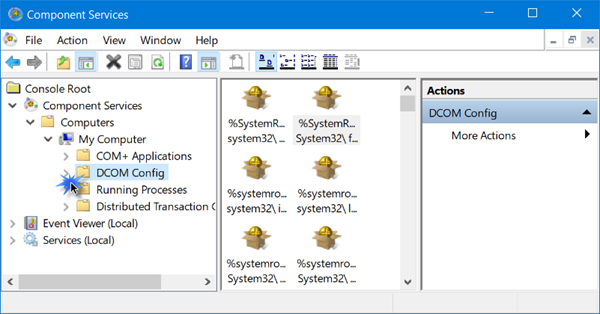
When you expand the arrow against DCOM Config you may see a message box asking if you want to register some component. Click Yes. It may happen once or multiple times. This will help fix DCOM errors.
4] Start ETW Collector Service
Run services.msc to open the Services Manager. Locate Internet Explorer ETW Collector Service, right-click on it and select Start. This will help you if you are facing the problem in Internet Explorer or Edge browser.
5] Re-register Microsoft Store apps
Re-register Windows Store apps and see if it helps.
6] Run System Restore
A System Restore would be the last option to consider.
I am sure something will help you resolve your problem.
Related:
- Class Not Registered error in Outlook
- Class not registered Chrome.exe
- Class not registered error while opening image
- Class not registered VBA
Why does Explorer EXE say Class not registered?
When explorer.exe says Class not registered, the error indicates that the file has become damaged or corrupted or the ExplorerFrame.dll file has become de-registered.
How do I re-register Explorer EXE?
You need to re-register the ExplorerFrame.dll file by using the regsvr32 ExplorerFrame.dll command in an elevated command prompt. This post explains the process in detail.
Also read: MSCOMCTL.OCX not registered.

