
You may occasionally need to know a little more about your machine…details about your hardware, software, etc. There are four ways you can get such system information info in Windows 11, Windows 10, Windows 8 or Windows 7 natively.
System Information Tools in Windows 11/10
There are 5 built-in tools in Windows 11/10 that can give you information about your system:
- Control Panel
- Computer Management
- SystemInfo
- MSInfo Utility
- Windows Settings.
let us take a look at them in brief.
1] Control Panel System Properties
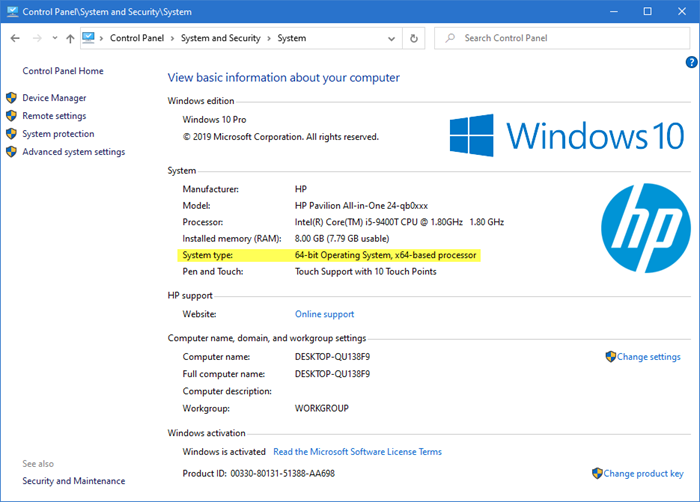
For knowing just the basics, about your operating system and computer, try the System Control Panel. You can open System Properties by simply pressing the Windows Logo+Break keys or by Right-clicking Computer and choose Properties.
Read: How to open System Properties in Windows 11/10 now.
2] Computer Management utility
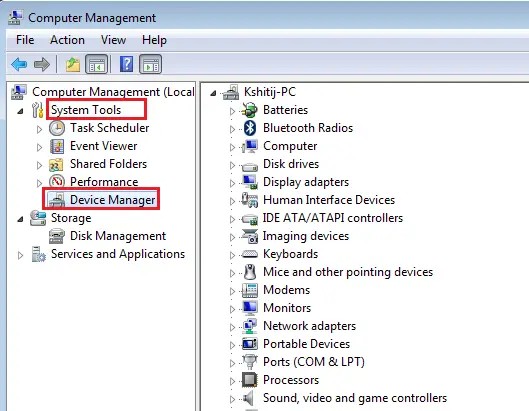
If you need more information, right-click on This PC or Computer and select Manage to open Computer Management Utility.
Read: How to Find out Computer RAM, Graphics Card/Video memory of your Windows PC.
3] SystemInfo
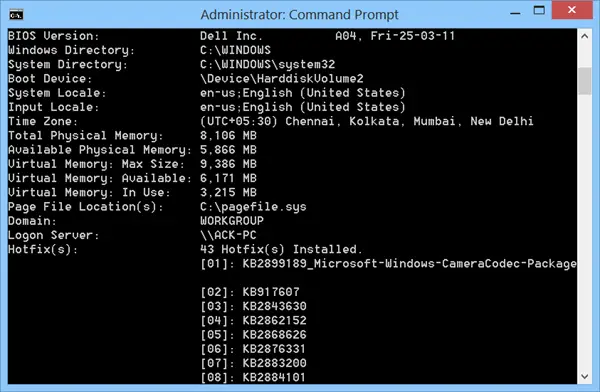
To dig a little deeper, Systeminfo.exe is a great tool! Systeminfo.exe is a command-line utility that displays information about your Windows version, BIOS, processor, memory, network configuration, and so on.
TIP: Find out how you can display System Configuration Details on your Windows Desktop.
4] System Information or MSInfo Utility or msinfo32.exe
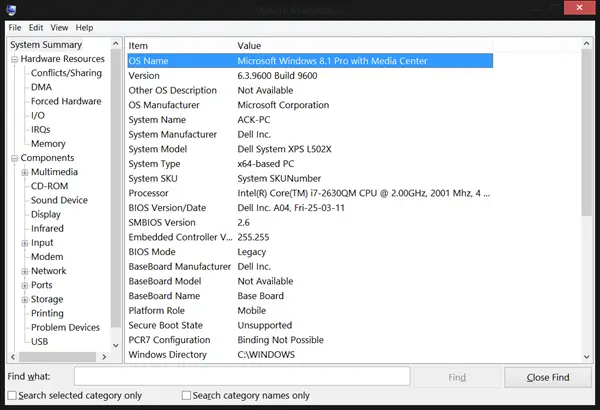
And finally, there is the System Information or MSInfo Utility or msinfo32.exe. It is truly a geek’s Paradise! You can use this tool to gather information about your computer, to diagnose issues with your computer, or to access other tools.
To start this one, Run > type msinfo32 > hit Enter.
The wealth of information you will be presented with will be, to say the least, overwhelming! It’s always a good idea to preserve your configuration information. It can turn out to be rather useful if you have problems. Comparing your machine’s current configuration with an earlier good configuration can help you locate the problem areas.
The System Information or MSInfo Utility or msinfo32.exe provides the following:
- The version of Windows
- OEM System Information (manufacturer, model, and type)
- The type of central processing unit (CPU)
- The amount of memory and system resources
- BIOS version
- Locale
- Time zone
- User name in the format DOMAINNAME\USERNAME (only present if the computer is configured to log into a domain)
- Boot device (if multiple devices are present on the computer)
- The path to the Page file
- Hardware Resources category
- And many more things!
You can generate a System Diagnostics report and save it as a .nfo file, which can be opened with System Information or simply as a text file.
See: Free CPU Temperature Monitor and Checker software for Windows PC
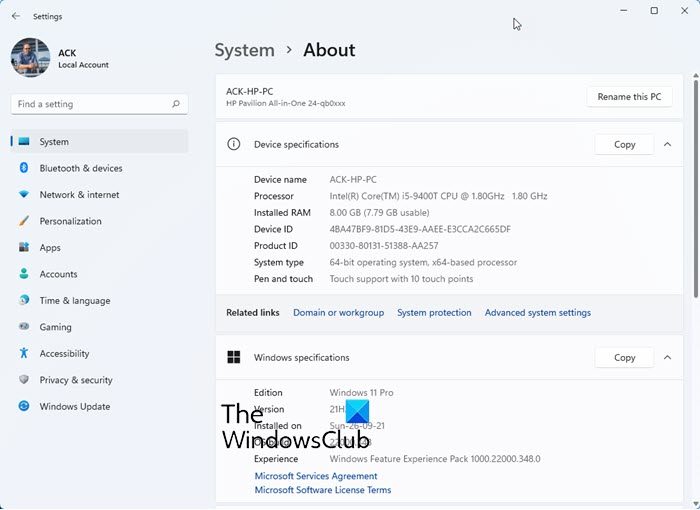
5] Using Windows Settings
Windows 11
Windows 10
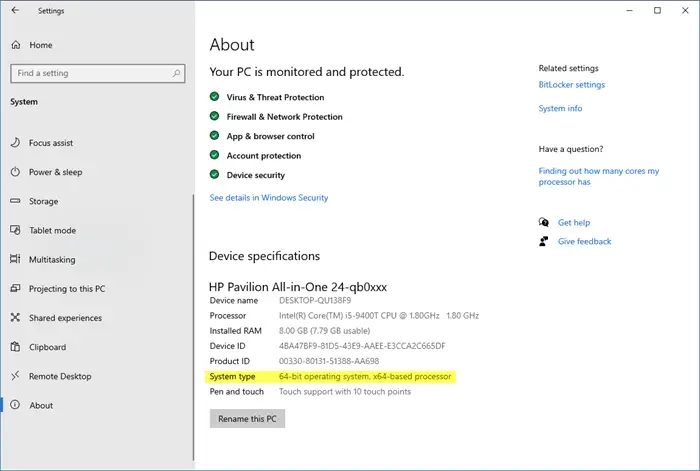
From the WinX Menu, open Settings > System > About.
Here you can get some basic details.
We have also covered a few free third-party tools that provide the software and hardware configuration information about your computer in a single click:
Sandra Lite | MiTeC System Information X | CPU-Z | HiBit System Information | Hardware Identify | BGInfo | Speccy | O&O DeskInfo | HWiNFO32 | System Info.
You might just want to also check out our Windows Event Viewer Plus.
