
You may have noticed that there are some Windows dialog boxes, like the Error Message boxes, which do not let you copy the text on them. And there may be times that you want to copy those error codes and error messages so that you can search for them on the Internet for potential solutions.
Typing out the message is both time-consuming and prone to typos. Besides that, the trouble you may have to take to switch between your browser and the message windows in case the window is hidden.
Copying the error message and pasting it in any search engine search box, is the best way to ensure that you are searching for the exact message. But unfortunately, most of these messages cannot be selected or copied in the normal way.
How to copy Error Codes & Messages from Dialog Boxes
While some standard dialog boxes allow you to copy the text, by clicking on the error box to shift focus and then pressing Ctrl+C, some do not. There are two freeware programs I know of that let you copy error codes and messages from all dialog boxes. Using these tools, you can easily extract or copy text from images.
1] GTText
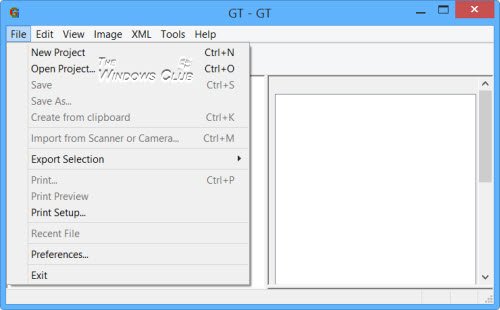
GTText is a free program that lets you grab and capture text from such error message boxes. It is a single exe file and so there is no installation required. You can just run the file and start using it.
GTText helps create fast and quality Ground-Truthed data sets from color text images. It performs fast OCR text recognition and copies image text to the clipboard. It can load data from screen snapshots, image files, and scanned documents.
The highlighted text can then be used in online searches. The program can be useful if you need to copy an error message for a bug report or want to find out additional information via online search engines without having to manually type the text. You can use GTText.
2] JOCR
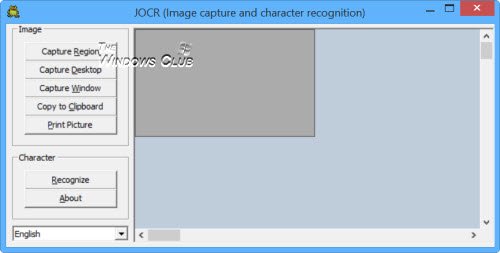
JOCR lets you copy text from images. JOCR lets you capture the image on the screen and convert the captured image to text. It also lets you copy text from any files and images on the screen such as protected Web pages, PDF files, error messages.
The program offers several capture modes. But JOCR requires Microsoft Office to be installed to be able to work. You can download it by clicking here.
How do I copy text from Windows dialog box?
In order to copy text from the Windows dialog box, you need to use a third-party tool. There are two options in your hands. First, you can use GTText, which is freeware, and you can use it on Windows 11 as well as Windows 10. On the other hand, you can use JOCR, which is another free app that is compatible with Windows 11/10 PC.
How do I copy text from an error box?
As Windows doesn’t allow users to copy the text from any error or dialog box, you need to take the help of a third-party application. As mentioned in this article, you can make use of GTText or JOCR. Both of them are free, easy to use, and compatible with Windows 11/10 PC.
You may also want to have a look at these posts:
- Textify lets you copy Text that cannot be copied in Windows
- GetWindowText lets you copy text from open windows
- OCR a portion of the screen & copy Text from Image with Capture2Text
- How to Extract Images from PDF files
- Easy Screen OCR for Windows PC
- Extract Text from Image using OneNote.
If you know of any other such freeware or free online tools that let you copy Error Codes & Messages from Dialog Boxes, do let us know below in the comments section.

